
Problemas rodar meu primeiro JSF[RESOLVIDO]

10 respostas
J

Olá, pessoal!

Estou começando aprender o JSF, tentei e apareceu a janela deu um erro. veja código e imagem em baixo. vem a biblioteca da JSF é PrimeFaces and server Glassfish

Diretório da JSF que criei e está biblioteca no LIB
[img]http://1.bp.blogspot.com/-9b1MLAaK5P0/UXn7-UlKK9I/AAAAAAAAC7U/9WLz0rCBSP0/s1600/PrimeFacesDiretorio.PNG[/img]

Configurações do Web.xml
<?xml version="1.0" encoding="UTF-8"?>
<web-app xmlns:xsi="http://www.w3.org/2001/XMLSchema-instance" xmlns="http://java.sun.com/xml/ns/javaee" xmlns:web="http://java.sun.com/xml/ns/javaee/web-app_2_5.xsd" xsi:schemaLocation="http://java.sun.com/xml/ns/javaee http://java.sun.com/xml/ns/javaee/web-app_3_0.xsd" id="WebApp_ID" version="3.0">
  <display-name>PrimeFaceTestWeb</display-name>
  <welcome-file-list>
    <welcome-file>index.html</welcome-file>
    <welcome-file>index.htm</welcome-file>
    <welcome-file>index.jsp</welcome-file>
    <welcome-file>default.html</welcome-file>
    <welcome-file>default.htm</welcome-file>
    <welcome-file>default.jsp</welcome-file>
  </welcome-file-list>
  <servlet>
    <servlet-name>Faces Servlet</servlet-name>
    <servlet-class>javax.faces.webapp.FacesServlet</servlet-class>
    <load-on-startup>1</load-on-startup>
  </servlet>
  <servlet-mapping>
    <servlet-name>Faces Servlet</servlet-name>
    <url-pattern>*.jsf</url-pattern>
  </servlet-mapping>
</web-app>
Arquivo index.xhtml
<?xml version="1.0" encoding="ISO-8859-1" ?>
<!DOCTYPE html PUBLIC "-//W3C//DTD XHTML 1.0 Transitional//EN" "http://www.w3.org/TR/xhtml1/DTD/xhtml1-transitional.dtd">
<html xmlns="http://www.w3.org/1999/xhtml"
	xmlns:h="http://java.sun.com/jsf/html"  
    xmlns:f="http://java.sun.com/jsf/core"  
    xmlns:p="http://primefaces.org/ui">
<h:head>
<meta http-equiv="Content-Type" content="text/html; charset=ISO-8859-1" />
<title>Insert title here</title>
</h:head>
<h:body>
 <p:colorPicker/>
</h:body>
</html>

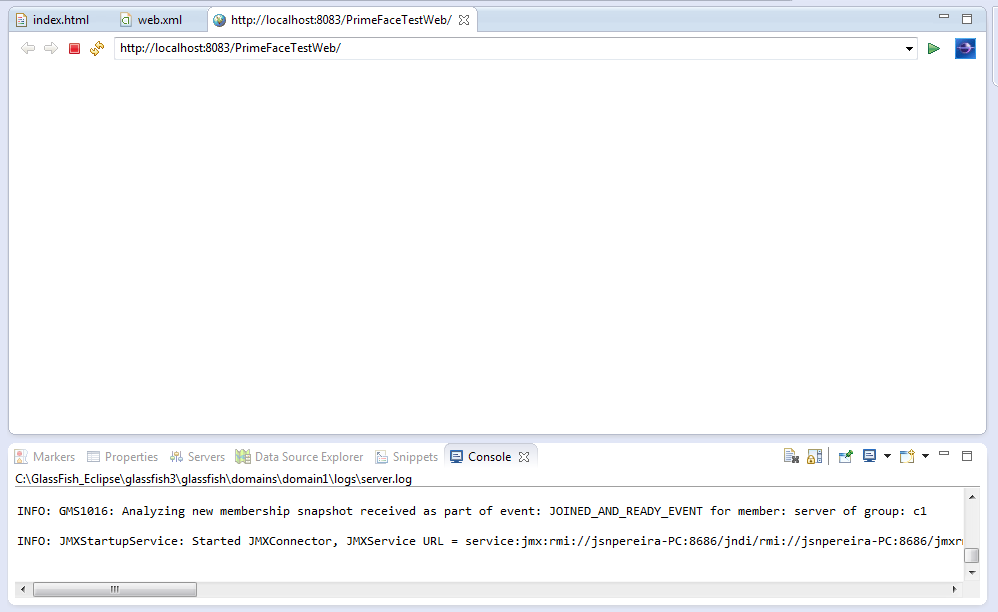
Apareceu erro na página quando foram executar, veja a imagem.
[img]http://2.bp.blogspot.com/-y9OMYaBN5yc/UXn8AFwKLDI/AAAAAAAAC7c/2vNTpeutRwg/s1600/webPrimeFaces.PNG[/img]

No último do registro foram executado do server do Glassfish
INFO: Inicializando Mojarra 2.1.0 (FCS 2.1.0-b11) para o contexto '/PrimeFaceTestWeb'

INFO: Running on PrimeFaces 3.5

INFO: WEB0671: Loading application [PrimeFaceTestWeb] at [/PrimeFaceTestWeb]
INFO: PrimeFaceTestWeb was successfully deployed in 3.129 milliseconds.
INFO: JSF1027: [null] Os ELResolvers para JSF não foram registrados com o contêiner JSP.

Espero que vocês me dá um dica ou corrigir um erro. obrigado!

Anteciosamente,
Jeison Pereira
10 Respostas

D

como esta teu faces.config?

R

Já tentou acessar a página diretamente? Veja que sua lista de welcome-files está assim:<welcome-file-list> <welcome-file>index.html</welcome-file> <welcome-file>index.htm</welcome-file> <welcome-file>index.jsp</welcome-file> <welcome-file>default.html</welcome-file> <welcome-file>default.htm</welcome-file> <welcome-file>default.jsp</welcome-file> </welcome-file-list> Não tem index.xhtml aí, que é o nome da sua página

D

Rodrigo Sasaki:
Já tentou acessar a página diretamente? Veja que sua lista de welcome-files está assim:<welcome-file-list> <welcome-file>index.html</welcome-file> <welcome-file>index.htm</welcome-file> <welcome-file>index.jsp</welcome-file> <welcome-file>default.html</welcome-file> <welcome-file>default.htm</welcome-file> <welcome-file>default.jsp</welcome-file> </welcome-file-list> Não tem index.xhtml aí, que é o nome da sua página

tem sim cara… será que o erro não é relacionado ao Resolver?

R

d34d_d3v1l:
Rodrigo Sasaki:
Já tentou acessar a página diretamente? Veja que sua lista de welcome-files está assim:<welcome-file-list> <welcome-file>index.html</welcome-file> <welcome-file>index.htm</welcome-file> <welcome-file>index.jsp</welcome-file> <welcome-file>default.html</welcome-file> <welcome-file>default.htm</welcome-file> <welcome-file>default.jsp</welcome-file> </welcome-file-list> Não tem index.xhtml aí, que é o nome da sua página

tem sim cara… será que o erro não é relacionado ao Resolver?

ele tem index.html e não index.xhtml. Mas você tem razão, o erro aponta para outra coisa.

Aí só resta perguntar pro autor:

  • Qual versão do JSF você está usando?
  • Qual versão do Glassfish?
  • Por que você colocou esses jars jstl.jar e standard.jar na sua pasta lib?
D

tive que ler e reler para conseguir ver o “x” kkkkkkkkkkkkkkkkkkk
desculpa cara!

J

as configurações da face-config está em baixo.

<?xml version="1.0" encoding="UTF-8"?>

<faces-config
    xmlns="http://java.sun.com/xml/ns/javaee"
    xmlns:xsi="http://www.w3.org/2001/XMLSchema-instance"
    xsi:schemaLocation="http://java.sun.com/xml/ns/javaee http://java.sun.com/xml/ns/javaee/web-facesconfig_2_1.xsd"
    version="2.1">

</faces-config>
J

d34d_d3v1l:
Rodrigo Sasaki:
Já tentou acessar a página diretamente? Veja que sua lista de welcome-files está assim:<welcome-file-list> <welcome-file>index.html</welcome-file> <welcome-file>index.htm</welcome-file> <welcome-file>index.jsp</welcome-file> <welcome-file>default.html</welcome-file> <welcome-file>default.htm</welcome-file> <welcome-file>default.jsp</welcome-file> </welcome-file-list> Não tem index.xhtml aí, que é o nome da sua página

tem sim cara… será que o erro não é relacionado ao Resolver?

Já alterei index.html para index.html e testando a executar mas não apareceu a tela, ficou o branco. veja a imagem em baixo

J

Rodrigo Sasaki:
d34d_d3v1l:
Rodrigo Sasaki:
Já tentou acessar a página diretamente? Veja que sua lista de welcome-files está assim:<welcome-file-list> <welcome-file>index.html</welcome-file> <welcome-file>index.htm</welcome-file> <welcome-file>index.jsp</welcome-file> <welcome-file>default.html</welcome-file> <welcome-file>default.htm</welcome-file> <welcome-file>default.jsp</welcome-file> </welcome-file-list> Não tem index.xhtml aí, que é o nome da sua página

tem sim cara… será que o erro não é relacionado ao Resolver?

ele tem index.html e não index.xhtml. Mas você tem razão, o erro aponta para outra coisa.

Aí só resta perguntar pro autor:

  • Qual versão do JSF você está usando?
  • Qual versão do Glassfish?
  • Por que você colocou esses jars jstl.jar e standard.jar na sua pasta lib?

Versão:
Glassfish 3.1
JSF 2.1
PrimeFaces 3.5

Eu coloquei arquivo jars no pasta LIB que eu aprendi no tutorial no youtube no link Clique aqui

D

http://www.softwareengineeringsolutions.com/thoughts/frameworks/JSF.Techniques-ELResolvers.htm

J

Tava tentendo e li no livro, descobri era faltando alguns na biblioteca. veja o forum que postei Clique aqui

Criado 26 de abril de 2013
Ultima resposta 27 de abr. de 2013
Respostas 10
Participantes 3